
One tap from your home screen
The assistant sits at the top of the app, ready when a question comes up.

SnipBill AI is the assistant inside SnipBills. Ask about your bills, spending or budgets in plain words, and it answers from your real transactions, 24/7.
Part of the full toolkit, which starts with a 7-day free trial. SnipBill AI does not give financial advice.

No commands to learn and no finance jargon. Type the question the way you'd say it out loud, and ask a follow-up if you want more.
Example questions from snipbills.com.
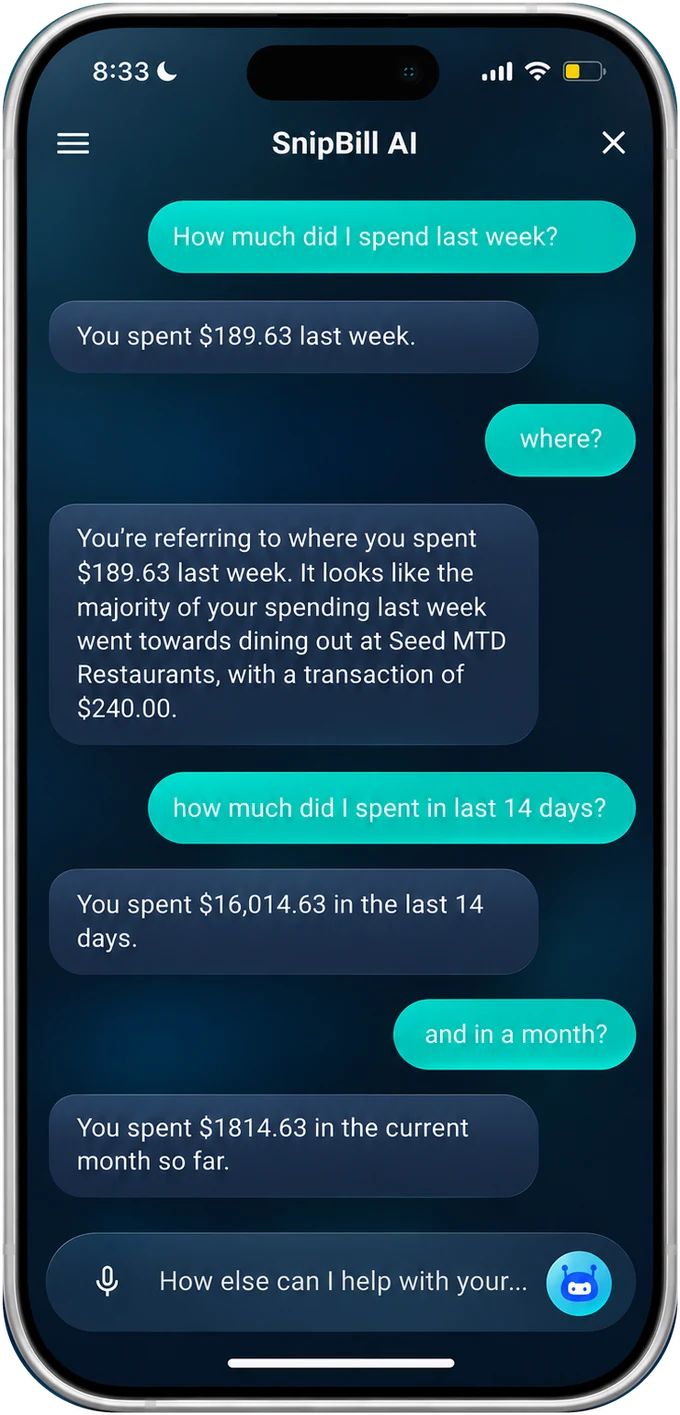
The real chat screen from the SnipBills app, with sample figures.

Charts are good for the big picture. Sometimes you want to ask one question and get one answer.
Skip the screens and filters. Type the question the way you'd say it and read the answer.
No finance jargon needed to ask, and none in the reply. If something isn't clear, ask a follow-up.
Ask where your money is going or which payments might be worth cutting, and use the answer to make your own call.
It sits at the top of the SnipBills home screen.
Type it in your own words.
Dig deeper with another question until you have what you need.
The assistant sits at the top of the app, ready when a question comes up.
One chat for the things SnipBills tracks, so you don't need to know which screen to open.
Ask “where?” or “and in a month?” and it keeps the thread of the conversation.
Available 24/7, no appointment, no judgment. Write the question the way you'd say it.

Screens are from the SnipBills app and show sample figures.
Also on snipbills.com: Subscription TrackerBudget AppPayoff Calculator
Questions about your bills, spending and budgets, such as “How much did I spend this week?”, “Where did my money go this week?” or “Which subscription should I cancel?” It answers from your own transactions.
Yes. Ask “where?” or “and in a month?” and it keeps the thread of the conversation.
No. SnipBills gives you estimates and a clear view of your own numbers so you can make your own decisions. For advice about your specific situation, talk to a qualified professional.
No. Accounts are connected through Plaid, so SnipBills never sees or stores your bank password.
SnipBills is free to download, and you can see every subscription you're paying for without entering a card. Budgeting, Debt Freedom and SnipBill AI are part of the full toolkit, which starts with a 7-day free trial. Current prices are on the pricing section and in the app stores.
SnipBills runs on iPhone, Android and the web, so your numbers are the same wherever you open it.

Open the chat and ask the first thing on your mind.
Ask SnipBill AIPart of the full toolkit, which starts with a 7-day free trial. Not financial advice.