
Spent against budget, by category
Every category shows what you've spent, what you set, and a bar that changes colour as you get close.
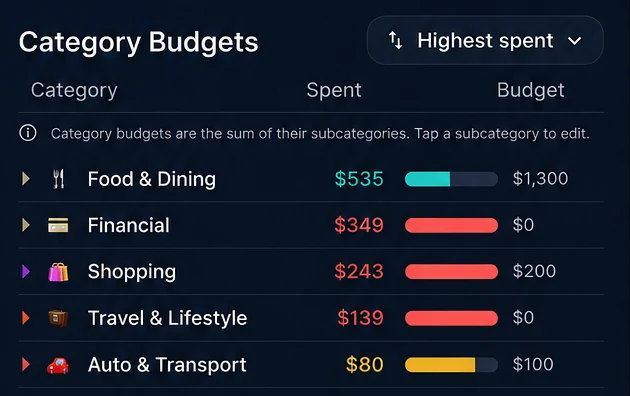
Set a limit for each category and SnipBills tracks your spending against it. You know what's left before you spend it.
Part of the full toolkit, which starts with a 7-day free trial.

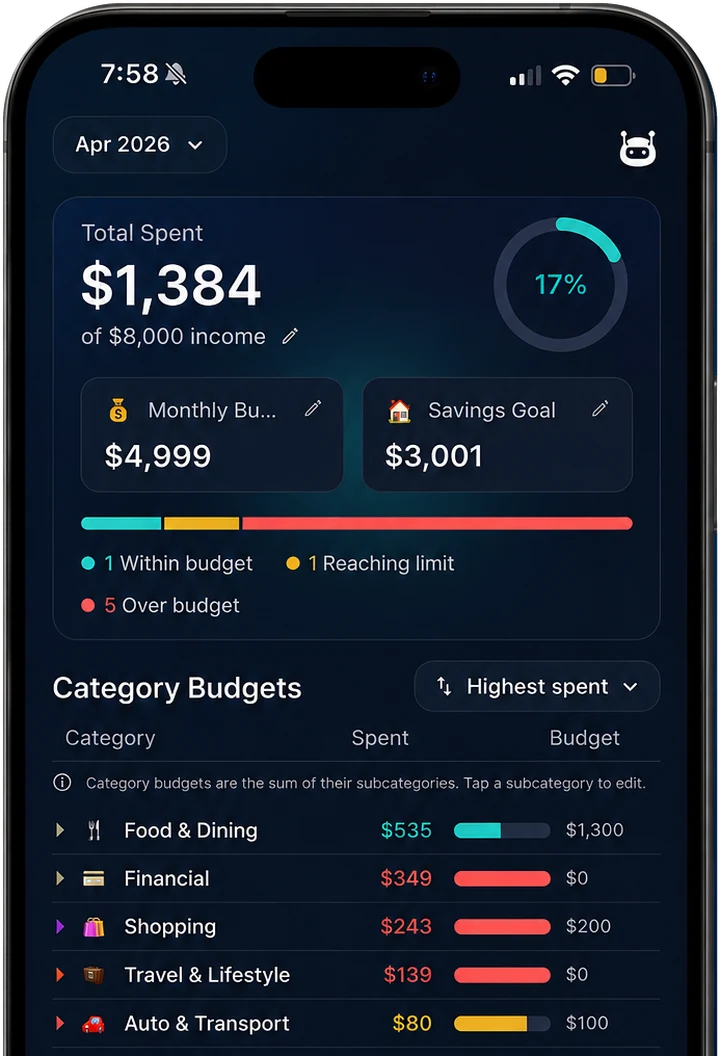
You set the limits once. SnipBills does the tracking, so the budget is still accurate in week three. Tap a category to see what's left.
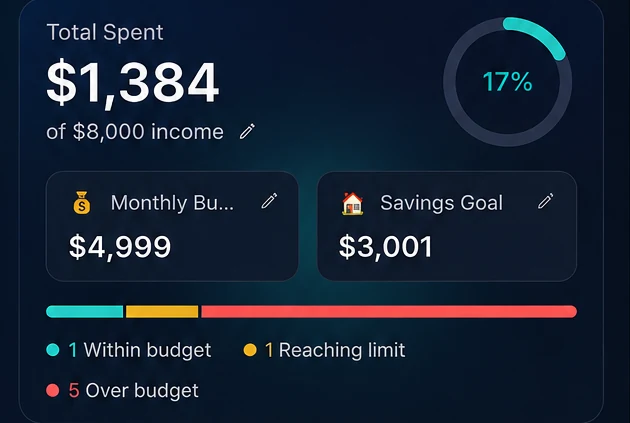
The real summary screen from the SnipBills app.

“Can I afford this?” gets an answer on the spot.
Every category shows what you've spent against what you set, with a bar that changes colour as you get close.
Real-time budgeting alerts warn you before you go over, while there's still time to adjust.
Spending from your linked accounts counts toward your budgets automatically. There's nothing to type in at the end of the day.
Pick the categories that matter to you and give each a monthly limit.
SnipBills tracks your transactions against each limit as they come in.
Glance at each status, and change a limit when life changes.
Every category shows what you've spent, what you set, and a bar that changes colour as you get close.
Set a monthly budget and a savings goal together, so spending and saving are planned in the same place.
$3,001Savings goal · sample from the app
A category's budget is the sum of its subcategories, so you can plan in as much detail as you like.
SnipBills warns you before you go over, so “Reaching limit” is a nudge, not a surprise at the end of the month.
Screens are from the SnipBills app and show sample figures.
Also on snipbills.com: Subscription TrackerBudget AppPayoff Calculator
Choose a category, enter a monthly limit and save. SnipBills starts tracking your spending in that category against the limit.
Within budget means you have room left. Reaching limit means you're close to the amount you set. Over budget means you've passed it.
No. Spending from the accounts you link is categorized and counts toward your budgets automatically. You can move any transaction to a different category.
You connect accounts through Plaid, so SnipBills never sees or stores your bank password. Access is read-only: SnipBills can see transactions and balances but can't move money out of your accounts. SnipBills uses bank-level 256-bit AES encryption, your data is never sold, and you can disconnect an account anytime.
SnipBills is free to download, and you can see every subscription you're paying for without entering a card. Budgeting, Debt Freedom and SnipBill AI are part of the full toolkit, which starts with a 7-day free trial. Current prices are on the pricing section and in the app stores.

Pick a category, set a limit, and let SnipBills keep track.
Set my first budgetPart of the full toolkit, which starts with a 7-day free trial.