
Percent by category
Every category shows its amount and its share of your total, so the biggest slices stand out straight away.
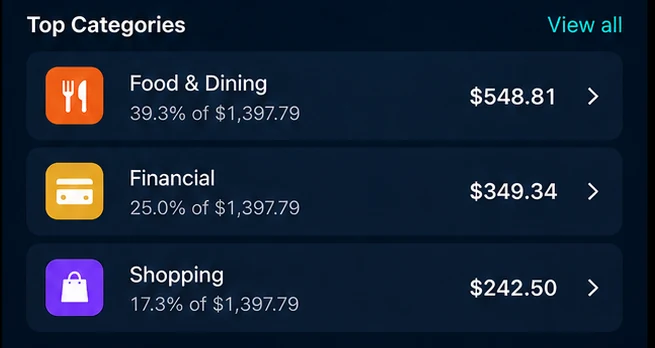
Insights sorts your spending into categories and shows the share each one takes. The answer to “where did it all go?” is one glance away.
Free to download. No card needed.

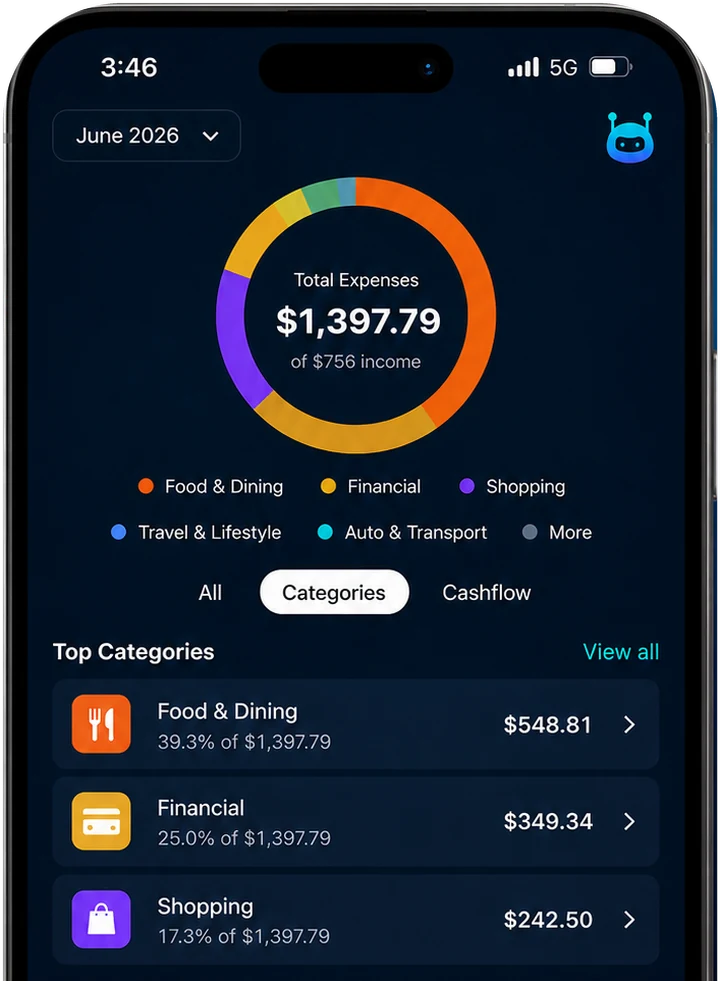
Knowing you spent a lot is not much use. Knowing which slice grew is something you can act on. Tap a category to see its share.
“Everything else” is the rest of the sample month's total.

When you can see that one category takes a tenth of your month, choosing what to trim stops being a guess.
Transactions from your linked accounts land in categories automatically. No receipts to type in and no spreadsheet to maintain.
Each category shows its amount and its percentage of your spending, so a big number reads in proportion to everything else.
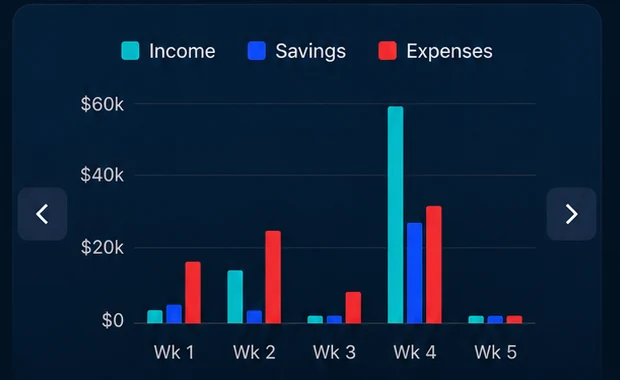
Income, savings and expenses side by side, week by week across the month.
Connect your bank and cards securely through Plaid.
Each transaction is placed in a category automatically. Move any one that belongs somewhere else.
See what you spent, where it went, and the percentage each category takes.
Every category shows its amount and its share of your total, so the biggest slices stand out straight away.
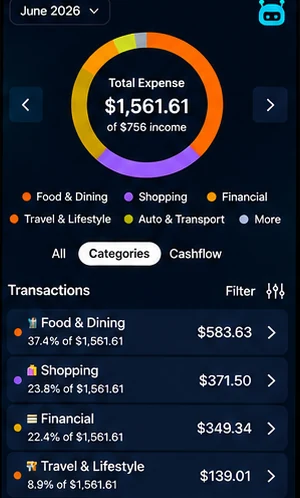
Total expenses in the middle, a colour for each category around it.
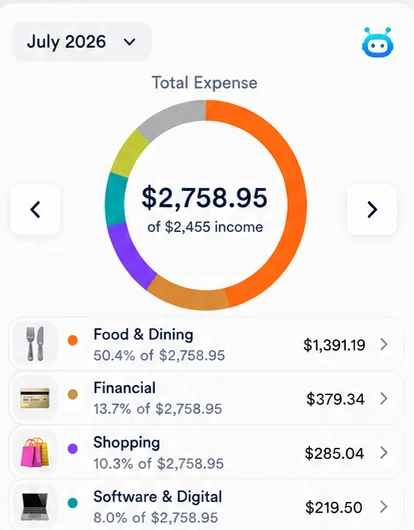
Switch between All, Categories and Cashflow, and filter the transactions that make up a category.
Income, savings and expenses, week by week across the month.
Screens are from the SnipBills app and show sample figures.
Also on snipbills.com: Subscription TrackerBudget AppPayoff Calculator
Transactions from the accounts you link are sorted into categories such as Food & Dining, Shopping, Financial, Travel & Lifestyle and Auto & Transport automatically. You can move any transaction to a different category.
It's that category's share of your total spending for the period. If dining shows 10%, one dollar in every ten you spent went on dining.
Yes. The Cashflow view shows income, savings and expenses side by side, week by week across the month.
You connect accounts through Plaid, so SnipBills never sees or stores your bank password. Access is read-only: SnipBills can see transactions and balances but can't move money out of your accounts. SnipBills uses bank-level 256-bit AES encryption, your data is never sold, and you can disconnect an account anytime.
SnipBills is free to download, and you can see every subscription you're paying for without entering a card. Budgeting, Debt Freedom and SnipBill AI are part of the full toolkit, which starts with a 7-day free trial. Current prices are on the pricing section and in the app stores.
SnipBills runs on iPhone, Android and the web, so your numbers are the same wherever you open it.

Link an account and see your spending by category, with the percentage for each.
See my spendingFree to download. No card needed.