
Monthly and yearly totals
Your recurring spending as one number, next to your income. Switch between the monthly and yearly view with a tap.
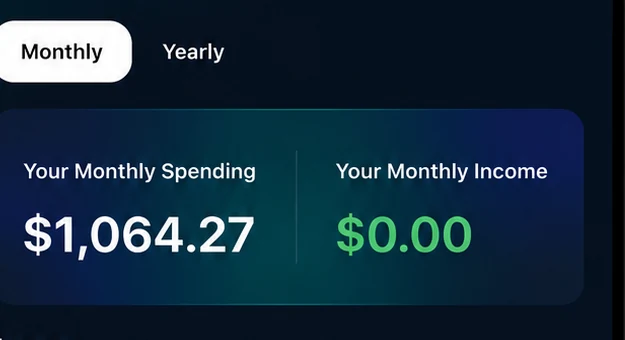
Recurring finds the payments that hit your accounts again and again, adds them up, and keeps them in one list, so nothing renews without you noticing.
Free to download. No card needed to see your subscriptions.

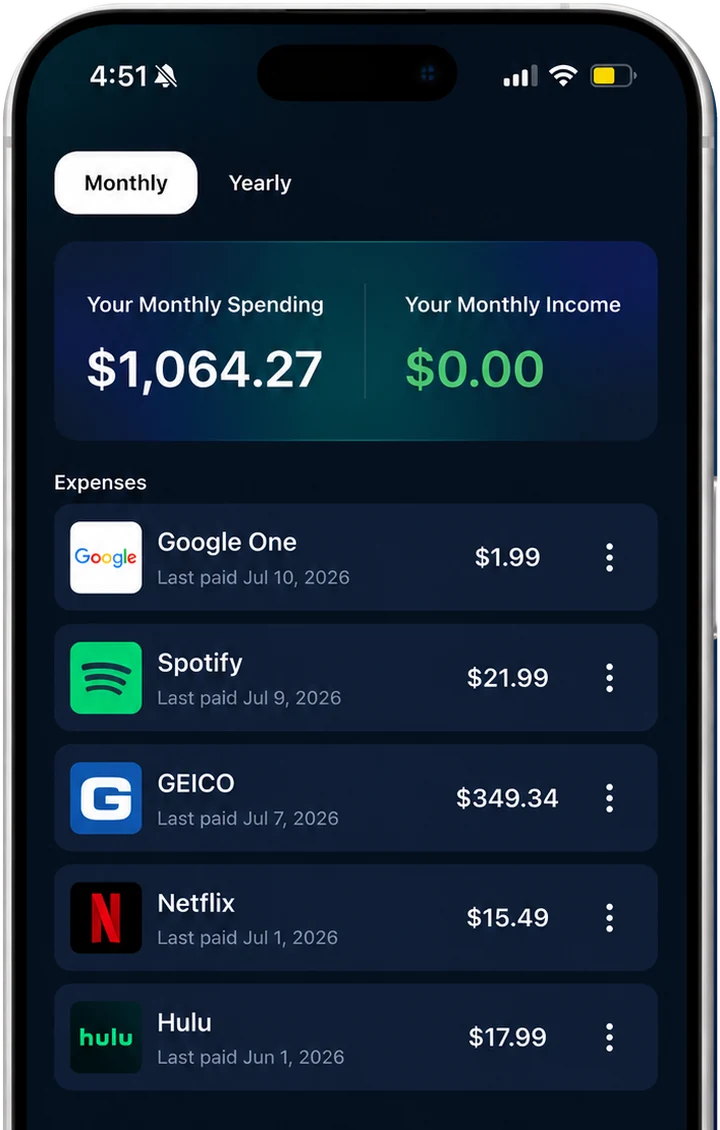
Most people can name their rent. Fewer can name every subscription. Recurring adds every repeating charge into one total, and you can flip it between monthly and yearly.
Your recurring spending
$1,064.27/ month
Yearly shown here as 12 × the monthly sample, for illustration.
Cancel This For Me
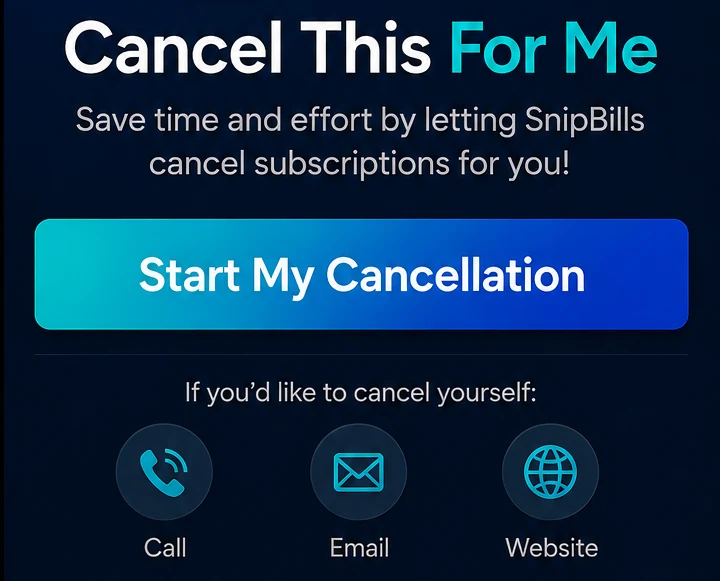
Let SnipBills handle it, or cancel it yourself with the options on the same screen.
Based on the Cancel This For Me screen in the app (shown below).

Recurring does the remembering, so a charge you don't recognise stands out straight away.
A few dollars here and a few there is hard to feel. Recurring adds every repeating charge into one total, monthly or yearly.
Every payment shows its amount and the date it was last paid, so a charge you don't recognise stands out.
When a subscription isn't earning its place, start a cancellation with Cancel This For Me, or use the call, email and website options to do it yourself.
Connect your bank and cards securely through Plaid. It takes a couple of minutes.
SnipBills reads your transactions and picks out the charges that repeat: subscriptions, memberships and bills.
Review the total, check each payment, and cancel anything you're done with.
Your recurring spending as one number, next to your income. Switch between the monthly and yearly view with a tap.
Each payment lists the day it last went out, so you can see how recent it is.
Jul 9, 2026Last paid · sample from the app
Link another account, or add a recurring payment yourself.
Start a cancellation and let SnipBills do the legwork. Prefer to do it yourself? Call, email and website options are right there.
Screens are from the SnipBills app and show sample figures.
Also on snipbills.com: Subscription TrackerBudget AppPayoff Calculator
After you link an account, SnipBills looks through your transactions for charges that repeat and gathers them into your Recurring list, from streaming and music apps to insurance and phone bills. If it missed one, link another account or add it yourself with Add Recurring.
Anything that repeats: subscriptions such as streaming, apps and memberships, and regular bills such as phone, insurance and utilities.
The app's Cancel This For Me option lets you start a cancellation and have SnipBills handle it. If you'd rather cancel yourself, the same screen gives you call, email and website options.
You connect accounts through Plaid, so SnipBills never sees or stores your bank password. Access is read-only: SnipBills can see transactions and balances but can't move money out of your accounts. SnipBills uses bank-level 256-bit AES encryption, your data is never sold, and you can disconnect an account anytime.
SnipBills is free to download, and you can see every subscription you're paying for without entering a card. Budgeting, Debt Freedom and SnipBill AI are part of the full toolkit, which starts with a 7-day free trial. Current prices are on the pricing section and in the app stores.
SnipBills runs on iPhone, Android and the web, so your numbers are the same wherever you open it.

Link an account and Recurring builds your list for you.
See my subscriptions freeFree to download. No card needed to see your subscriptions.